


I usually judge a scanner app by what happens in the few seconds when I actually need it: the code is on a receipt, a package, a menu, or another phone, and I want the result without wandering through a crowded interface. QR & Barcode Scanner Launcher takes that focused approach. It is a free tools app from AtomApplications, built around scanning QR codes and barcodes rather than trying to become a complete shopping, payment, or document platform.
That narrow purpose is its main appeal. The app has a 4.3 average from around 37 thousand ratings, with roughly 5 million installs, so it is clearly being used by a substantial Android audience. It is rated for Everyone, runs on Android 10 or later, and its current version is 3.19.0. Those details make it easy to place: this is a straightforward utility for people who want a dedicated scanner and do not need a large collection of extra tools around it.
How it feels when speed matters
In my experience, the most important part of a scanner is not a long feature list but the path from opening it to seeing a result. A good scanner should let me point the camera at a code, wait for recognition, and then decide what to do. This app is designed around that simple expectation, which makes it more approachable than multipurpose apps where scanning is buried inside a broader menu.
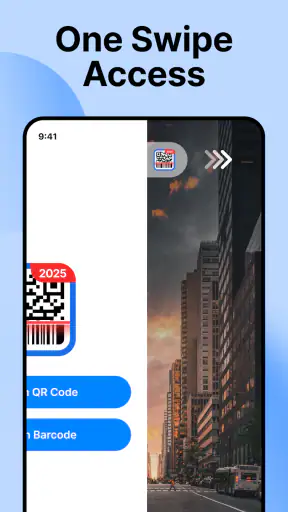
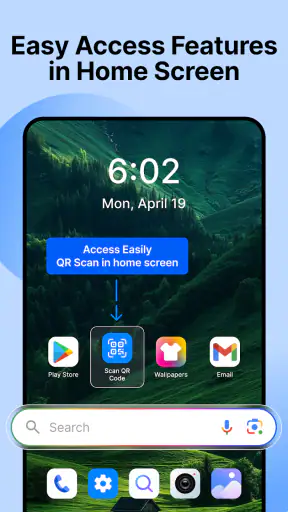
The word “Launcher” is worth noticing. It suggests an experience centered on getting to the scanning action quickly, rather than treating the scanner as a secondary screen. For someone who scans occasionally, that can be more useful than installing a full shopping app or relying on a browser feature that changes between devices. I would especially consider it for a spare phone, a family device, or an Android handset used for practical tasks at home.
Perceived speed also depends on the code itself. A clean, high-contrast QR code held steady in good light is a much easier target than a tiny code on a glossy package or a display with reflections. I would not blame the app for every delay in those situations. The useful habit is to fill enough of the camera view with the code while keeping its edges visible, then pause instead of constantly moving the phone.
There is another small advantage to a dedicated tool: it keeps the mental process simple. I do not have to remember whether a particular retailer, messaging app, or browser has a scanner hidden somewhere. When the task is simply “read this code,” a focused utility is often faster in practice because fewer decisions come before the scan.
Where the quick workflow helps most
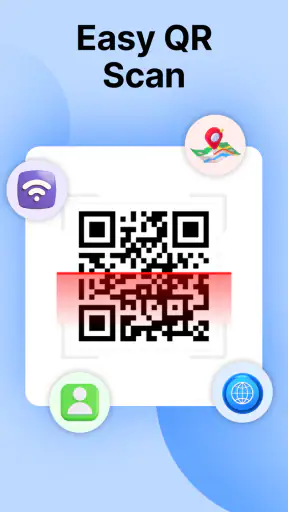
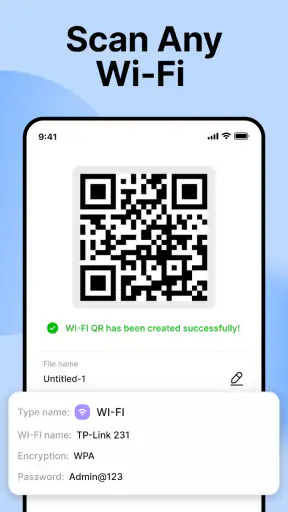
A realistic example is unpacking a new appliance. The box may include a QR code leading to setup instructions, while a separate barcode identifies the model. I can use a dedicated scanner for the first check, read the code, and continue without opening a manufacturer’s app just to access the camera. The same workflow makes sense when checking a product label, opening a Wi-Fi sharing code shown on another screen, or reading a code printed on a ticket.
I also like the idea of using it for household organization. If I am sorting storage boxes, I can scan labels one at a time and keep the phone focused on the code-reading job. It does not replace a full inventory system, but it avoids installing a much heavier app when all I need is recognition and access to the information encoded in the label.
For printed codes, angle matters more than many new users expect. Glossy paper can reflect the camera light, and a folded receipt can distort the pattern. I get better results by moving the phone slightly to one side rather than bringing it extremely close. That is a practical tip, but it also reveals the app’s real role: it is a reader, not a repair tool for badly printed or damaged codes.
What happens during repeated scanning
Light use is the obvious case, but repeated scanning is where a utility either earns a permanent place or gets deleted. Imagine receiving several parcels and checking each label in succession. The app is useful if it lets me repeat the same action without making every scan feel like a new setup process. A launcher-style design is well suited to that rhythm because the central task remains clear.
Still, I would separate “fast to open” from “fast to process a difficult batch.” A code that is partially covered, curved around a bottle, or displayed on a dim screen may require repositioning. No scanner can make every physical condition disappear. For heavy use, I would prepare the area first: turn on better lighting, flatten labels where possible, and keep the camera lens clean. Those steps often improve the experience more than switching between similar scanner apps.
Another heavy-use situation is a small event or classroom where several people present codes one after another. Here, a dedicated reader can be less distracting than a social or payment app. However, I would test the exact workflow before depending on it for a time-sensitive queue. The app’s confirmed purpose is scanning, not event management, ticket validation, or record keeping, so it should be treated as the reading step rather than the entire process.
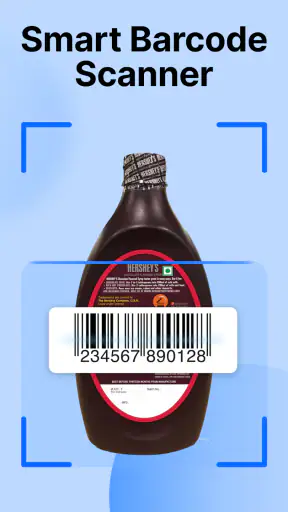
For barcodes, the physical format changes the experience. A wide retail barcode may need a little more distance than a square QR code, and a narrow label can be difficult to frame on a small screen. I find it helpful to keep the phone parallel to the label and avoid covering the code with a finger. These are simple adjustments, but they are particularly relevant when someone assumes that every barcode should react instantly.
Stability and recovering from an awkward scan
A scanner earns trust through predictable recovery. If the first attempt fails, I want to be able to move the phone, improve the light, and try again without feeling lost. The focused design of QR & Barcode Scanner Launcher works in its favor here because there are fewer unrelated destinations competing for attention. I can treat a failed recognition as a positioning problem and make another attempt.
I would not describe a difficult scan as a sign that the app is unstable. Codes can fail because they are too small, blurred, damaged, reflective, or displayed at an angle. The sensible recovery sequence is to step back slightly, center the code, remove glare, and hold still for a moment. If the code is on another phone, lowering that screen’s brightness can sometimes reduce reflections, while increasing it can help when the display is too dim; the right choice depends on the room.
Reliability also means knowing what not to expect. A scanner can read the encoded content, but that does not guarantee that the destination is useful or safe. A QR code may lead to a webpage, a contact detail, a text string, or another kind of information. I would check the result before opening anything unfamiliar, especially when the code comes from a poster, package, or public place. The app’s job is to recognize the code; my job is to judge the result.
That distinction is important for less technical users. I would be comfortable recommending this app to someone who wants a simple reader, but I would also explain that scanning is not the same as verifying. If a code asks for sensitive information after opening a page, I would stop and inspect the address and request before continuing. A clean scanning workflow should not encourage automatic trust.
Android requirements and practical device limits
The minimum requirement is Android 10, which is reasonable for a current Android utility but excludes older phones that still work well for basic camera tasks. Before recommending it for an aging handset, I would check the operating system first. If the phone cannot meet that requirement, the problem is compatibility rather than scanning performance.
On supported devices, the camera itself remains the biggest variable. A newer phone with a sharp camera may recognize a small code more comfortably than an older handset, while a phone with a scratched lens or weak focus can make any scanner feel slow. I would not choose this app expecting it to overcome hardware limitations. Its value is in providing a direct tool on a compatible device, not in upgrading the camera.
Resource demands are also best judged modestly but carefully. This is a focused scanner rather than a large content platform, and its job is short bursts of camera use. I would expect the main practical cost to appear while the camera is active, not during long periods when I am doing nothing with it. Even so, people who are strict about battery use should close the scanning session when finished instead of leaving a camera-based screen open unnecessarily.
Storage space can matter on older or crowded phones, but I would not install a scanner solely because it sounds lightweight. The better question is whether the app’s direct workflow saves enough effort compared with tools already on the device. Some Android phones include a scanner in the camera app, and some browsers or messaging apps can read QR codes. If that built-in option is reliable and easy to reach, adding another app may not be worthwhile.
When this app is the right choice—and when it is not
I see the strongest fit for people who want one recognizable place to scan both QR codes and barcodes. It suits occasional household use, product labels, printed instructions, shared Wi-Fi codes, and ordinary links. It is also a sensible choice for anyone who finds multipurpose apps cluttered or who prefers not to connect a basic scanning task to a shopping account or a social platform.
The free price removes the usual trial decision, and the Everyone rating makes it approachable for a broad household audience. AtomApplications has kept the product positioned as a tools app, which matches how I would use it: open it for a specific physical-world task, read the code, and move on.
I would choose something else if I needed a complete inventory workflow, automatic product-price comparisons, document archiving, batch export, or specialized ticket handling. Those jobs require features beyond basic recognition. I would also skip it if my phone already offers a dependable scanner directly in the camera and I rarely scan anything. In that case, another installation may add an icon without adding much convenience.
Privacy-conscious users should make the same comparison from a different angle. A dedicated scanner can feel more focused than a shopping or social app, but I would still review the app’s current Android permission prompts before use and avoid granting access that does not make sense for scanning. The camera is central to the task; unrelated access would deserve closer attention. I would not assume that a simple interface automatically answers every privacy question.
My performance verdict after weighing the trade-offs
QR & Barcode Scanner Launcher succeeds because it understands a small but common need. Its appeal is not advanced analysis or a long list of connected services. It is the convenience of reaching a scanner without passing through a larger app ecosystem. The current version, 3.19.0, gives users a clear modern reference point, while Android 10 as the minimum keeps the compatibility boundary easy to understand.
My overall impression is positive for straightforward scanning, especially when a dedicated launcher-style entry point is more convenient than the alternatives already installed on the phone. I would describe its speed as situation-dependent rather than promise instant recognition everywhere. With a clean code, sensible distance, steady framing, and decent light, the workflow should feel appropriately direct; with a damaged or reflective code, patience and positioning matter more than the app brand.
The limitations are equally clear. It is not the right replacement for a full product database, a barcode inventory system, or a security tool that independently validates every destination. Users with older Android devices may be blocked by the operating-system requirement, and users whose built-in camera already scans perfectly may see little reason to add it. Those are fair trade-offs for a focused utility.
My recommendation is simple: install it if you want a dedicated, uncomplicated reader for everyday QR and barcode tasks, but keep your expectations centered on scanning rather than everything that can happen afterward. For that specific job, the free app from AtomApplications is easy to understand, broadly approachable, and practical enough to keep available when a code appears at the exact moment I need an answer.


